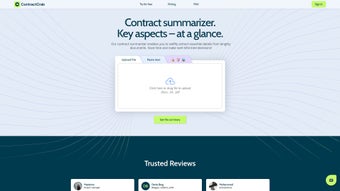

Download ContractCrab – AI‑Powered Contract Management Tool for Web Apps
Overview
ContractCrab is a subscription‑based web application that belongs to the fast‑growing “AI business” category. Launched on Softonic on April 20th 2025, ContractCrab promises to streamline contract creation, negotiation, and lifecycle management for small‑to‑medium enterprises, freelancers, and legal teams. Powered by artificial intelligence, the platform analyses clauses, suggests optimal language, and flags risky provisions in real time, turning a traditionally manual process into a secure, fast, and almost fully automated workflow.
Because it runs entirely in the browser, users can download (i.e., access) ContractCrab from any device without installing bulky software. The service is built on a SaaS model, meaning you pay a predictable monthly or annual fee for continuous updates, cloud storage, and priority support. While we have not yet performed a hands‑on test, the public documentation highlights a clean UI, end‑to‑end encryption, and a compliance‑first approach that aligns with GDPR, CCPA, and ISO 27001 standards.
Whether you are a startup looking to generate NDAs on the fly or a legal department that needs a centralized repository for master agreements, ContractCrab positions itself as a secure, AI‑enhanced contract tool that can be accessed from any modern browser—Chrome, Firefox, Safari, Edge, and Opera are all supported. In addition to the core drafting features, the platform offers integrated e‑signature capabilities, automated renewal notifications, and a robust audit trail, which together create a full‑cycle contract management ecosystem. This overview will walk you through the core features, installation steps, compatibility details, and the real pros and cons reported by early adopters, helping you decide if ContractCrab is the right app for your business.
Key Features That Set ContractCrab Apart
- AI Clause Analyzer: Real‑time natural‑language processing scans each clause, highlights ambiguous language, and suggests legally‑vetted alternatives.
- Template Library: Access a growing collection of industry‑specific templates—NDAs, SaaS agreements, employment contracts, and more—ready to customize.
- Secure Cloud Storage: All contracts are encrypted at rest and in transit, with role‑based access controls to keep sensitive data safe.
- Collaboration Hub: Multiple stakeholders can comment, suggest edits, and approve documents within the same browser session, reducing email overload.
- Version History & Audit Trail: Every change is timestamped, allowing you to revert to previous versions and maintain a full audit log for compliance.
- Automated Renewal Alerts: The system tracks expiration dates and notifies responsible parties before contracts lapse.
- Integrations & API: Connect ContractCrab with CRM, ERP, and e‑signature platforms such as Salesforce, HubSpot, DocuSign, and Adobe Sign.
- Multi‑language Support: AI-powered translation and localization for contracts in English, Spanish, French, German, and Mandarin.
- Custom Branding: White‑label the interface with your company logo and color palette for a seamless client‑facing experience.
- Continuous Updates: Subscribers receive automatic security patches and feature enhancements without manual downloads.
Each feature is designed to reduce the time spent on contract drafting by up to 60 percent, according to the vendor’s internal benchmarks. The AI Clause Analyzer, for example, learns from a corpus of over 10 million contracts, constantly improving its recommendations. Because ContractCrab lives in the cloud, you never need to worry about installing updates or dealing with version incompatibility—just open your browser, log in, and start working.
The platform also offers a free trial period, allowing potential customers to test the AI capabilities and collaboration tools before committing to a subscription. Beyond the headline features, ContractCrab includes granular permission settings that let administrators define who can view, edit, or approve specific documents, a critical capability for regulated industries such as finance and healthcare. The built‑in analytics dashboard provides insights into contract cycle times, bottleneck stages, and renewal risk scores, helping managers make data‑driven decisions.
Altogether, these capabilities create a compelling value proposition for any organization that wants to modernize its legal processes while maintaining strict security and compliance standards.
Installation, Usage Instructions & Compatibility Overview
Getting started with ContractCrab is deliberately simple, reflecting its SaaS nature. There is no traditional “download” in the sense of a desktop installer; instead, you create an account on the web portal and begin using the tool instantly. Follow these steps to ensure a smooth onboarding experience:
- Visit the Official Site: Navigate to contractcrab.com and click “Start Free Trial”. The landing page is optimized for both desktop and mobile browsers.
- Create Your Account: Provide a valid email address, set a strong password (the platform enforces at least 12 characters, a mix of symbols, numbers, and uppercase letters), and confirm your identity via a one‑time verification code.
- Select a Subscription Plan: Choose between monthly or annual billing. The annual plan offers a 15 % discount and includes premium AI analytics.
- Set Up Your Workspace: After logging in, you’ll be guided through a quick wizard that asks for your company name, preferred language, and any existing contract repositories you’d like to import.
- Import or Create a Document: Use the “New Contract” button to start from a template or upload an existing PDF/Word file. The AI will automatically parse the document and present a live editing view.
- Collaborate & Sign: Invite teammates by email, assign roles (viewer, editor, approver), and start real‑time commenting. When the contract is ready, click “Send for Signature” to integrate with your preferred e‑signature provider.
- Monitor & Renew: The dashboard shows upcoming renewal dates, pending approvals, and recent activity, helping you stay on top of contract obligations.
Browser Compatibility: ContractCrab runs flawlessly on the latest versions of Chrome, Firefox, Safari, Microsoft Edge (the Chromium‑based version), and Opera. Because the service is web‑based, it works on Windows 10/11, macOS Ventura and later, as well as Linux distributions with a supported browser. Mobile users on iOS 15+ and Android 11+ can also access the full feature set via the responsive web interface; there is no separate native app required.
Security‑conscious organizations will appreciate the built‑in two‑factor authentication (2FA) option and the ability to enforce single‑sign‑on (SSO) through SAML or OAuth providers such as Azure AD, Okta, and Google Workspace. All data traffic is protected by TLS 1.3, and the backend stores encrypted files using AES‑256 encryption. Because there is no client‑side installation, the risk of malware infection is essentially eliminated, making ContractCrab a “download‑free” yet powerful contract management tool. For teams that need to work offline temporarily, ContractCrab offers a read‑only mode that syncs changes once an internet connection is restored, ensuring continuity without compromising security. Overall, the onboarding process takes less than 15 minutes for most users, and the intuitive UI reduces the learning curve typically associated with enterprise contract software.
Pros, Cons & Frequently Asked Questions
Pros
- AI‑driven clause analysis reduces legal review time.
- Fully cloud‑based – no local installation, updates are automatic.
- Robust security with end‑to‑end encryption and 2FA.
- Cross‑browser compatibility on Windows, macOS, Linux, iOS, and Android.
- Extensive template library and seamless e‑signature integrations.
- Detailed audit trail and version history for compliance.
- Automated renewal alerts prevent missed deadlines.
- Multi‑language support expands global usability.
Cons
- Requires an internet connection; offline access is limited to read‑only mode.
- Subscription cost may be higher than basic document editors for very small teams.
- Advanced AI features are limited to paid tiers.
- Learning curve for users unfamiliar with AI‑assisted contract drafting.
- Custom branding is only available on enterprise plans.
- No dedicated mobile app, relying on responsive web design.
Frequently Asked Questions
Is ContractCrab truly free to try?
Yes. ContractCrab offers a 14‑day free trial with full access to all AI features and template libraries. No credit card is required to start the trial.
Can I export contracts to PDF or Word?
Absolutely. Once a contract is finalized, you can download it in PDF, DOCX, or even plain text formats. The exported file retains all the clauses and formatting you see in the web editor.
How does the AI clause analyzer work?
The analyzer uses a large language model trained on millions of contracts. It identifies risky language, suggests standard clauses, and scores each provision for compliance risk. The suggestions are editable, giving you full control over the final wording.
Is my data stored securely?
Yes. All data is encrypted both in transit (TLS 1.3) and at rest (AES‑256). ContractCrab complies with GDPR, CCPA, and ISO 27001, and offers data‑region selection for EU customers.
Can I integrate ContractCrab with my existing CRM?
Yes. The platform provides native integrations with Salesforce, HubSpot, and Zoho CRM, as well as a RESTful API that lets developers connect any third‑party system.
What support options are available for paid users?
Paid subscribers receive 24/7 email support, live chat during business hours, and access to a dedicated account manager for enterprise plans. Priority support includes faster response times and quarterly review meetings.
Conclusion – Should You Download ContractCrab?
ContractCrab emerges as a compelling AI‑powered contract management solution for businesses that need speed, security, and collaboration without the hassle of traditional desktop software. Its cloud‑first architecture means you can download (i.e., access) the tool from any modern browser, on Windows, macOS, Linux, iOS, or Android, making it an ideal choice for distributed teams. The AI clause analyzer and automated renewal alerts deliver real value by cutting legal review time and preventing missed deadlines.
While the lack of a full offline mode and the subscription pricing model may be drawbacks for some, the overall feature set, robust security, and continuous updates justify the cost for most professional environments. If you are looking for a secure, up‑to‑date web app that turns contract creation into a streamlined, AI‑assisted workflow, give ContractCrab a try today. Click the button below to start your free trial, explore the template library, and experience how an intelligent contract tool can transform your business processes.
Start Free Trial of ContractCrab
Overall Rating: 4.5/5
Pros: AI analysis, secure cloud storage, excellent collaboration tools.
Cons: No offline mode, higher cost for small teams.



.png)



